 weboxacademy | Premium WordPress Assets, SEO Training & Educational Videos
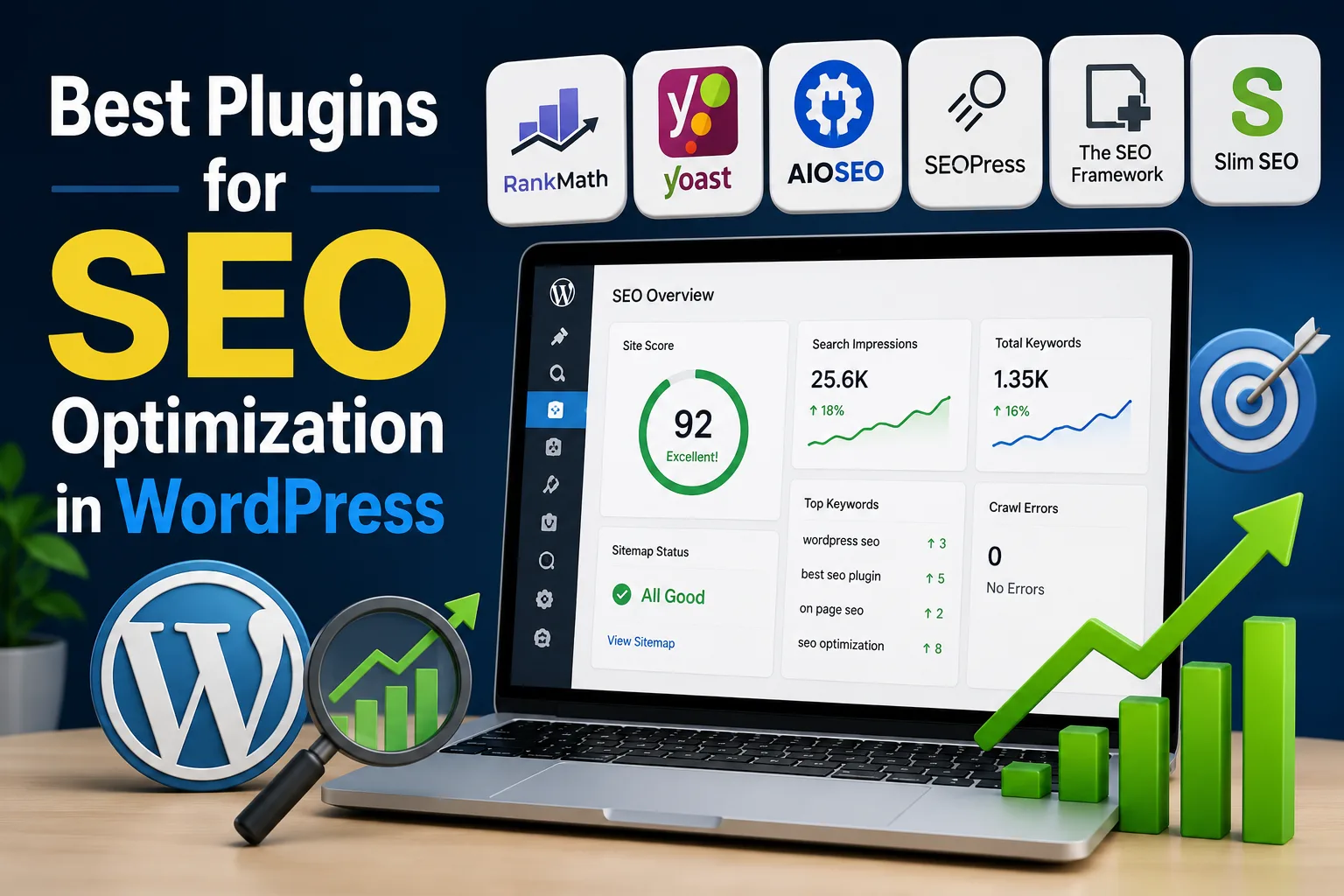
Choosing the right SEO plugin for WordPress can make managing your website much easier. It can help you control titles and meta descriptions, create XML sitemaps, add structured data, manage redirects, improve on-page optimization, and monitor important technical SEO settings.
The problem is that there is no single “best” plugin for every WordPress website.
A small blog, an online store, a local business, and a large content website often have different SEO requirements. Some users want a simple interface that guides them while writing. Others need advanced schema controls, redirect management, WooCommerce SEO, or detailed automation.
This guide compares some of the best plugins for SEO optimization in WordPress and explains which type of website each one is best suited for.
Table of Contents
- What Should an SEO Plugin Do?
- Best WordPress SEO Plugins at a Glance
- Rank Math SEO
- Yoast SEO
- All in One SEO
- SEOPress
- The SEO Framework
- Slim SEO
- How to Choose the Right SEO Plugin
- Can You Use Multiple SEO Plugins?
- Common SEO Plugin Mistakes
- Frequently Asked Questions
- Final Recommendation
What Should an SEO Plugin Do?
An SEO plugin does not automatically rank a website on Google.
That is an important distinction.

A good plugin helps you manage the technical and on-page parts of SEO, but it cannot replace useful content, keyword research, a strong website structure, quality backlinks, or a good user experience.
Depending on the plugin, useful SEO features may include:
- SEO titles and meta descriptions
- XML sitemaps
- Canonical URLs
- Robots meta controls
- Schema markup
- Open Graph data
- Content analysis
- Focus keyword optimization
- Redirect management
- 404 monitoring
- Internal linking tools
- WooCommerce SEO
- Local SEO
- Image SEO
- Search Console integration
The goal is not to install the plugin with the longest feature list. The goal is to choose a tool that fits your website and workflow.
Best WordPress SEO Plugins at a Glance
| Plugin | Best For | Main Strength |
|---|---|---|
| Rank Math | Advanced users and all-in-one SEO | Large feature set and modular tools |
| Yoast SEO | Beginners and content-focused sites | Clear content and readability guidance |
| All in One SEO | Businesses and marketing websites | Broad SEO toolkit and business features |
| SEOPress | Agencies and privacy-focused users | Flexible, clean, modular SEO management |
| The SEO Framework | Lightweight websites | Automated and minimal SEO setup |
| Slim SEO | Users who want simplicity | Automatic configuration with fewer settings |
The right choice depends more on your website than on the popularity of a plugin.
1. Rank Math SEO
Rank Math is one of the most feature-rich SEO plugins available for WordPress.
It combines several SEO tools inside one plugin, which can reduce the need to install separate plugins for redirects, schema, 404 monitoring, and other SEO tasks.
Key Features
Rank Math includes tools for:
- On-page SEO analysis
- XML sitemaps
- Schema markup
- Redirections
- 404 monitoring
- Internal link suggestions
- Google Search Console integration
- Analytics integration
- WooCommerce SEO
- Local SEO
- Image optimization settings
- Multiple focus keywords
Its modular system is particularly useful because you can enable or disable features based on what your website needs.
Who Should Use Rank Math?
Rank Math is a strong choice for:
- Content websites
- Affiliate websites
- WooCommerce stores
- SEO professionals
- Website owners who want multiple tools in one plugin
Potential Drawback
The number of settings can feel overwhelming for someone completely new to WordPress SEO.
If you enable features without understanding them, you may create unnecessary complexity.
Best For
Website owners who want an all-in-one SEO plugin with advanced features.
2. Yoast SEO
Yoast SEO is one of the most recognizable names in the WordPress SEO ecosystem.
Its biggest strength is its focus on guiding users while they create content.
Instead of only providing technical settings, Yoast gives feedback about areas such as content optimization and readability.
Key Features
Yoast SEO can help with:
- SEO titles
- Meta descriptions
- XML sitemaps
- Canonical URLs
- Schema output
- Content analysis
- Readability analysis
- Search appearance settings
- Social media metadata
For writers and editors, the real-time feedback can make SEO requirements easier to understand.
Who Should Use Yoast SEO?
Yoast is a good choice for:
- Beginners
- Bloggers
- Content teams
- Editorial websites
- Businesses with multiple content writers
Potential Drawback
Some users may prefer more advanced features to be included in the free version, while others may not need the full set of additional options.
Best For
Beginners and content teams that want clear SEO and readability guidance.
3. All in One SEO
All in One SEO, often called AIOSEO, is designed as a broad SEO toolkit for WordPress websites.
It provides tools for standard SEO tasks while also offering features aimed at businesses, local websites, WooCommerce stores, and larger marketing workflows.
Key Features
AIOSEO includes functionality for:
- SEO titles and meta descriptions
- XML sitemaps
- On-page SEO analysis
- Schema markup
- Local SEO
- WooCommerce SEO
- Redirect management
- Internal linking
- SEO audits
- Google Search Console integration
- Social media optimization
- Keyword tracking features
Its setup process is designed to make initial configuration easier for website owners who do not want to manually configure every technical SEO option.
Who Should Use AIOSEO?
AIOSEO can be a strong option for:
- Business websites
- Marketing teams
- WooCommerce stores
- Local businesses
- Growing content websites
Potential Drawback
Some advanced features are associated with paid plans, so website owners should compare the available plans with their actual requirements.
Best For
Businesses that want a broad SEO toolkit with marketing, local SEO, and eCommerce options.
4. SEOPress
SEOPress is a flexible WordPress SEO plugin that focuses on providing a complete set of SEO tools while maintaining a clean interface.
It is particularly popular with users who want more control over their SEO setup without filling the WordPress dashboard with unnecessary promotions.
Key Features
SEOPress provides tools for:
- SEO titles and meta descriptions
- XML and HTML sitemaps
- Content analysis
- Schema markup
- Redirections
- Broken link tools
- Social metadata
- Google Analytics integration
- Local SEO
- WooCommerce SEO
- Image SEO
- White-label functionality
Another useful aspect of SEOPress is its modular structure. Features that are not needed can often remain disabled.
Who Should Use SEOPress?
SEOPress is well suited for:
- Agencies
- Freelancers
- Developers
- Privacy-conscious users
- Website owners managing multiple sites
Potential Drawback
Some beginners may find the number of configuration options more technical than simpler SEO plugins.
Best For
Agencies and advanced users who want flexibility and clean SEO management.
5. The SEO Framework
The SEO Framework takes a different approach from plugins that provide a large number of visible recommendations and scores.
Its philosophy focuses more on automation and clean integration with WordPress.
For website owners who do not want constant notifications, optimization scores, or aggressive prompts, this approach can be attractive.
Key Features
Depending on the configuration, it can help with:
- Automated metadata
- Canonical URLs
- Open Graph data
- XML sitemaps
- Structured SEO settings
- Automated optimization
Who Should Use It?
The SEO Framework can work well for:
- Developers
- Lightweight websites
- Experienced WordPress users
- Websites that prefer automated SEO configuration
Potential Drawback
Users who want detailed content scores and constant writing recommendations may prefer Rank Math, Yoast, or AIOSEO.
Best For
Users who want a cleaner and more automated SEO experience.
6. Slim SEO
Slim SEO is designed for simplicity.
Instead of requiring users to configure a large number of SEO settings, it focuses on automatically handling many standard SEO tasks.
This can be useful for small websites that need a solid SEO foundation without a complicated dashboard.
Key Features
The plugin focuses on automatically handling common SEO elements such as:
- Meta tags
- Open Graph data
- XML sitemaps
- Schema
- Redirect-related functionality
- Image alt attributes in certain workflows
Who Should Use Slim SEO?
It can be suitable for:
- Small business websites
- Personal websites
- Portfolio websites
- Users who prefer simple configurations
Potential Drawback
Advanced SEO professionals may want more manual control.
Best For
Website owners who want basic SEO functionality without a complicated interface.
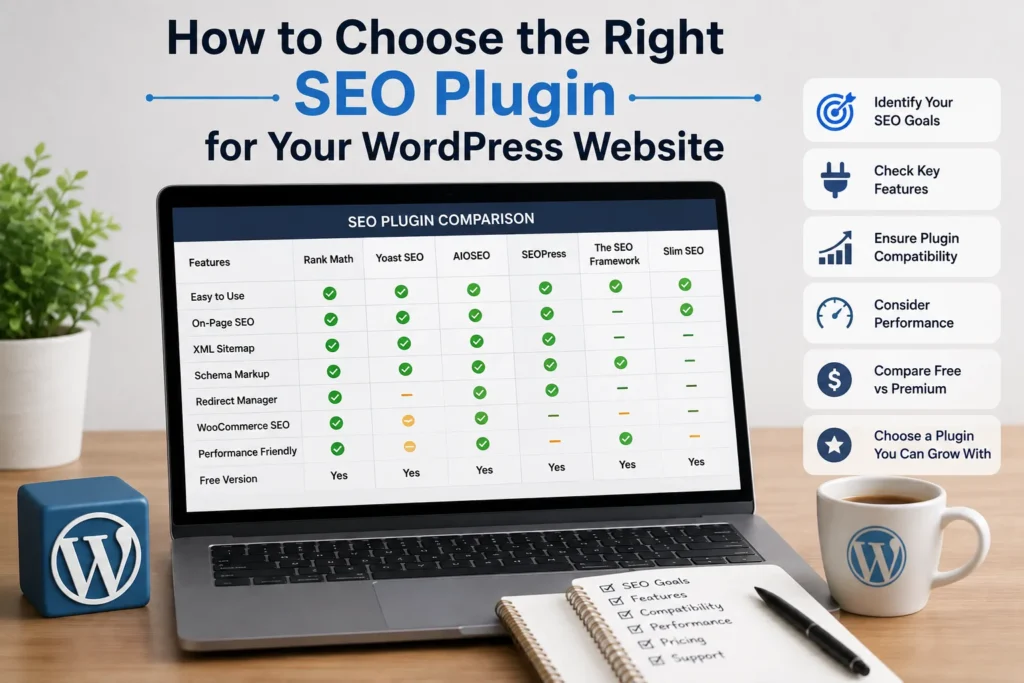
How to Choose the Right SEO Plugin for Your WordPress Website
Before installing a plugin, ask yourself a few questions.
Do You Need Advanced Schema?
If your website publishes products, recipes, reviews, FAQs, courses, or other structured content, schema support may be important.
Do You Need WooCommerce SEO?
Online stores often need product-specific metadata, product schema, category optimization, and other eCommerce features.
Choose a plugin that works well with your store structure.
Do You Need Redirect Management?
If you frequently change URLs or remove pages, redirect management can be useful.
A plugin with a built-in redirect manager may reduce the need for another plugin.
Do You Have a Content Team?
For websites with several writers, content analysis and readability tools can be helpful.
Yoast and Rank Math are particularly well known for providing optimization guidance inside the WordPress editor.
Do You Prefer a Simple Dashboard?
More features are not always better.
A simple website may benefit more from a lightweight SEO plugin than from a complex suite of tools that remain unused.
Can You Use Multiple SEO Plugins at the Same Time?
In most cases, you should use only one primary SEO plugin.
Running multiple major SEO plugins can create conflicts involving:
- Duplicate meta titles
- Duplicate meta descriptions
- Duplicate schema
- Multiple XML sitemaps
- Conflicting canonical tags
- Duplicate Open Graph information
For example, you generally should not run Rank Math and Yoast SEO as active primary SEO plugins at the same time.
However, you can use a primary SEO plugin alongside specialized tools that perform different tasks.
The important thing is to check whether their functions overlap.
Common Mistakes When Using WordPress SEO Plugins
Installing a Plugin and Forgetting About It
SEO settings should be reviewed periodically.
A plugin can generate metadata and sitemaps, but website owners still need to monitor indexing, crawl problems, content quality, and technical issues.
Chasing Green Scores
A perfect optimization score does not guarantee high rankings.
Sometimes forcing a keyword into a sentence only to improve a plugin score makes the content worse.
Write for the reader first.
Installing Multiple SEO Plugins
As mentioned earlier, multiple full SEO plugins can create conflicts.
Choose one main plugin.
Ignoring Search Console
Google Search Console provides information that an SEO plugin cannot completely replace.
Use it to monitor:
- Indexing
- Search queries
- Clicks
- Impressions
- Technical issues
- Sitemap status
Forgetting Technical SEO
SEO plugins are only one part of optimization.
Your website should also have:
- Good page speed
- Mobile-friendly design
- Secure HTTPS
- Clear site architecture
- Internal linking
- Crawlable pages
- High-quality content
Which WordPress SEO Plugin Is Best?
There is no universal winner.
A practical way to choose is:
Choose Rank Math if:
You want many SEO features inside one plugin and need tools such as schema, redirects, 404 monitoring, analytics integration, and advanced optimization controls.
Choose Yoast SEO if:
You want straightforward content guidance and a familiar interface for writers and beginners.
Choose All in One SEO if:
You manage a business, marketing, local, or WooCommerce website and want a broad SEO toolkit.
Choose SEOPress if:
You manage multiple websites, work as an agency or freelancer, or prefer a flexible and cleaner SEO environment.
Choose The SEO Framework if:
You prefer automation and a lightweight approach.
Choose Slim SEO if:
You want basic SEO handled automatically with minimal configuration.
My Recommendation for Most WordPress Websites
For users who want an all-in-one SEO solution, Rank Math is a strong option because it combines many important SEO tools in one environment.
For complete beginners who want more writing guidance, Yoast SEO can be easier to understand.
For businesses and marketing-focused websites, AIOSEO offers a broad range of features.
The most important thing is not to keep switching plugins every few months.
Choose a reliable plugin, configure it correctly, learn how to use its important features, and focus your energy on:
- Keyword research
- Helpful content
- Search intent
- Technical website health
- Internal linking
- User experience
Those areas usually have a bigger long-term impact than changing from one major SEO plugin to another.
Frequently Asked Questions
What is the best free SEO plugin for WordPress?
Rank Math, Yoast SEO, AIOSEO, and SEOPress all provide free versions. The best choice depends on the features you need and your level of SEO experience.
Is Rank Math better than Yoast SEO?
Neither plugin is automatically better for every website. Rank Math offers a broad feature set, while Yoast is particularly known for its content and readability guidance.
Do I need an SEO plugin for WordPress?
WordPress can handle some SEO basics on its own, but an SEO plugin can make it easier to manage metadata, sitemaps, schema, canonical URLs, and other optimization tasks.
Can an SEO plugin improve Google rankings?
An SEO plugin can help you implement SEO best practices, but it cannot guarantee rankings. Rankings depend on many factors, including content quality, search intent, competition, website authority, and technical performance.
Should I install multiple SEO plugins?
Usually no. Use one primary SEO plugin to avoid duplicate metadata, schema, and other conflicts.
Which SEO plugin is best for WooCommerce?
Rank Math and AIOSEO are strong options for WooCommerce websites because they provide eCommerce-focused SEO functionality. Your final choice should depend on the specific features you need.
Will an SEO plugin slow down WordPress?
Any plugin can add some overhead, but the actual impact depends on the plugin, enabled features, hosting environment, and overall website configuration. Avoid installing several plugins that perform the same task.
Final Thoughts
The best plugin for SEO optimization in WordPress is the one that matches your website’s needs without making your workflow unnecessarily complicated.
Rank Math is a strong all-in-one choice. Yoast SEO is a familiar option for content-focused websites. AIOSEO offers a broad business-oriented toolkit, while SEOPress provides flexibility for agencies and advanced users.
Do not choose an SEO plugin only because another website owner says it is the “best.”
Look at your website.
Consider what you actually need.
Then choose one primary SEO plugin, configure it correctly, and spend more time creating useful content and improving your website.
An SEO plugin is a tool. Your SEO strategy is what makes the difference.