 weboxacademy | Premium WordPress Assets, SEO Training & Educational Videos
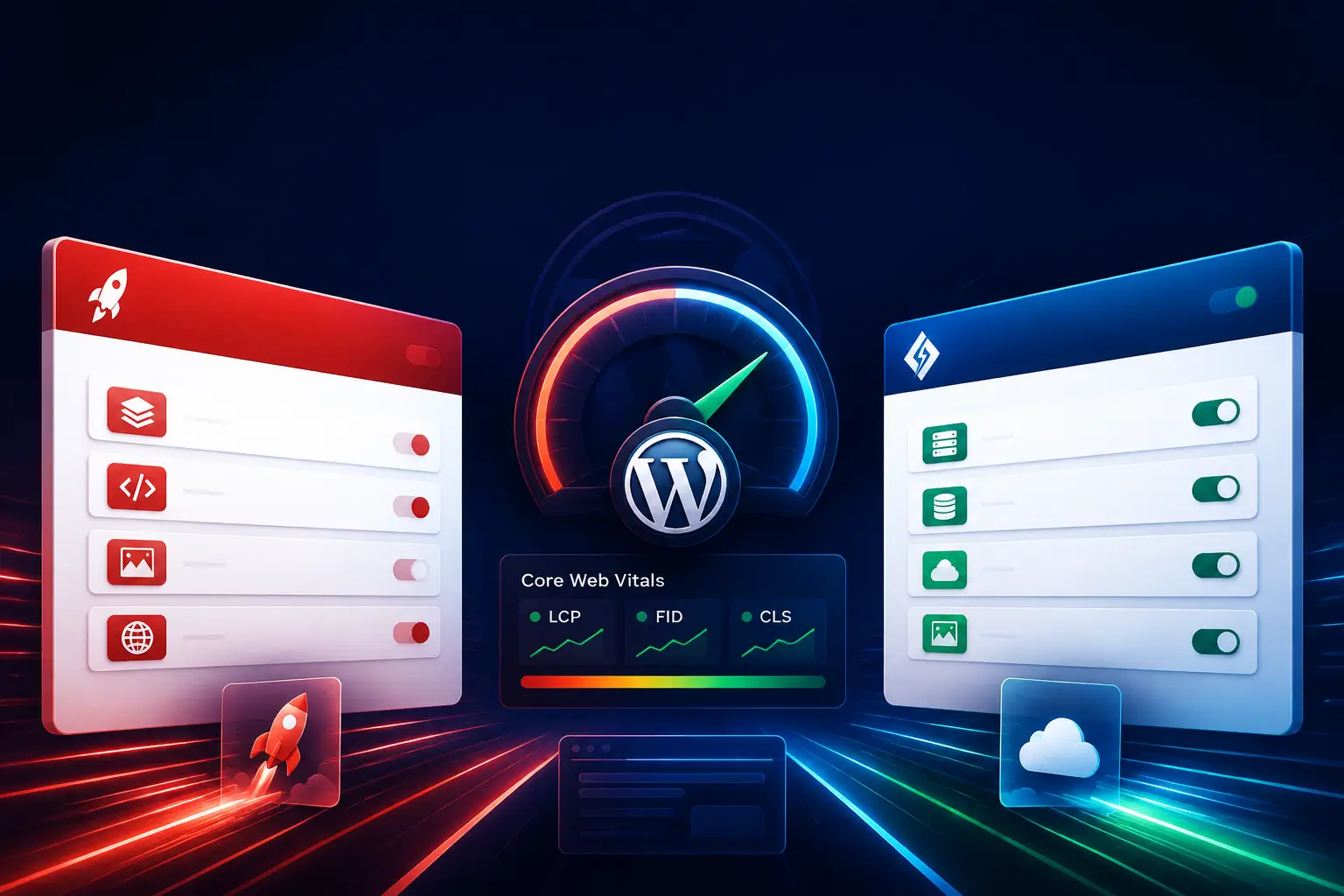
WP Rocket vs. LiteSpeed Cache: A Quick Overview
| Feature | WP Rocket | LiteSpeed Cache |
|---|---|---|
| Pricing | Premium plugin | Free plugin |
| Server dependency | Works with most web servers | Full caching requires LiteSpeed Web Server |
| Server-level caching | No | Yes, when used with LiteSpeed |
| Ease of setup | Very easy | More advanced and complex |
| Page caching | Yes | Yes |
| CSS and JavaScript optimization | Yes | Yes |
| Image optimization | Usually requires a separate service or plugin | Available through QUIC.cloud services |
| Database optimization | Yes | Yes |
| WooCommerce support | Yes | Yes |
| Built-in 404 monitoring | Limited compared with dedicated tools | Available through the plugin ecosystem |
| CDN integration | Compatible with third-party CDNs | Supports QUIC.cloud and other CDNs |
| Best suited for | Beginners, agencies, and general hosting environments | LiteSpeed-powered servers and advanced users |
1. Core Difference: Application-Level vs. Server-Level Caching
The most important difference between these two plugins is how they handle caching.
Choosing a caching plugin without considering your web server can significantly reduce its potential benefits.
How LiteSpeed Cache Works at the Server Level
LiteSpeed Cache is more than a standard WordPress caching plugin. When it is installed on a website hosted on LiteSpeed Web Server, it can communicate directly with the server’s caching engine.
This allows cached pages to be delivered before WordPress needs to process the entire request.
The main advantages include:
- Faster delivery of cached pages
- Lower PHP processing requirements
- Reduced database activity
- Lower CPU and RAM consumption
- Better scalability during traffic spikes
- More efficient handling of dynamic WordPress websites
In practical terms, LiteSpeed Cache can serve cached content directly from the web server instead of repeatedly loading WordPress, PHP, and database queries.
However, the full benefit depends on having a compatible LiteSpeed server. If your website runs on Apache or Nginx, many of the plugin’s advanced server-level caching features will not work in the same way.
How WP Rocket Works at the Application Level
WP Rocket works primarily at the WordPress application level. It creates and serves cached versions of pages and modifies server configuration files, such as .htaccess on Apache-based hosting.
WP Rocket is not tied to a specific web server and generally works with:
- Apache
- Nginx
- LiteSpeed
- Managed WordPress hosting
- VPS hosting
- Dedicated servers
- Shared hosting environments
Although WP Rocket does not provide native server-level caching, it offers a carefully designed set of performance features that can deliver excellent results with relatively little configuration.
2. Front-End Optimization Features
Both WP Rocket and LiteSpeed Cache include tools for reducing page size and improving the loading of CSS, JavaScript, fonts, images, and embedded content.
CSS and JavaScript Minification
Both plugins can remove unnecessary characters from CSS and JavaScript files, including:
- Extra spaces
- Line breaks
- Comments
- Unnecessary formatting characters
This process reduces file size and can help browsers download assets more efficiently.
Combining CSS and JavaScript Files
Both plugins may offer file combination features. Combining several files into one can reduce the number of HTTP requests in some environments.
However, combining files is not always beneficial on modern websites using HTTP/2 or HTTP/3. It can sometimes create larger files, increase cache invalidation, or cause compatibility problems.
For this reason, file combination should be tested carefully rather than enabled automatically on every website.
Removing Unused CSS
Both plugins provide options for improving CSS delivery. Depending on the configuration and version, they may help remove or delay unused CSS.
This can improve:
- Largest Contentful Paint (LCP)
- First Contentful Paint (FCP)
- Page rendering speed
- Mobile performance
- Core Web Vitals scores
Aggressive CSS optimization can occasionally break layouts, especially on websites built with Elementor, WooCommerce, sliders, pop-ups, or multiple third-party plugins. Always test important pages after enabling this feature.
Delaying JavaScript
Delaying JavaScript can prevent non-essential scripts from loading until the user interacts with the page.
This is particularly useful for:
- Tracking scripts
- Social media widgets
- Chat tools
- Advertising scripts
- Marketing pixels
- Third-party embeds
However, essential scripts should be excluded from delay settings. Otherwise, menus, forms, sliders, payment gateways, or interactive elements may stop working correctly.

3. Lazy Loading and Font Optimization
Both plugins support lazy loading for different types of content.
Commonly supported elements include:
- Images
- YouTube videos
- Embedded videos
- Iframes
- Some background images
Lazy loading prevents below-the-fold content from loading immediately. This reduces the initial page weight and allows the visible part of the page to render more quickly.
Both solutions can also assist with font loading. Techniques such as font-display: swap help prevent invisible text during font loading and improve perceived performance.
For the best results, you should also:
- Use modern image formats such as WebP or AVIF
- Limit the number of font families and weights
- Preload only critical fonts
- Avoid loading unnecessary icon libraries
- Compress images before uploading them
4. Database Optimization
Over time, the WordPress database can accumulate unnecessary data, including:
- Post revisions
- Auto-drafts
- Spam comments
- Deleted comments
- Expired transients
- Database overhead
- Unused metadata
Excessive database clutter may not always cause a dramatic speed reduction, but regular maintenance can improve database efficiency and make website management easier.
WP Rocket Database Optimization
WP Rocket includes a simple database cleanup section. Depending on the configuration, you can remove:
- Old post revisions
- Auto-drafts
- Trashed posts
- Spam comments
- Expired transients
- Database tables marked as unnecessary
The interface is designed for users who want a straightforward cleanup process without managing many technical settings.
LiteSpeed Cache Database Optimization
LiteSpeed Cache also includes database optimization tools. It provides several cleanup options and may offer more granular controls for technical users.
Its database tools can be useful for agencies and developers managing websites with:
- Large content databases
- WooCommerce orders
- Numerous revisions
- Large media libraries
- Many plugins and custom post types
Before performing a large database cleanup, create a full backup. Some deleted data cannot be recovered without restoring the database.
5. Pricing and Licensing
Pricing is another major difference between WP Rocket and LiteSpeed Cache.
LiteSpeed Cache: Free Plugin With Server Requirements
LiteSpeed Cache is available as a free WordPress plugin. Its core plugin does not require a paid WordPress license.
However, the most powerful caching features require a website to run on a compatible LiteSpeed server. If your hosting provider uses Apache or Nginx, you may not receive the full benefit of LiteSpeed’s server-level cache.
LiteSpeed Cache can also connect to QUIC.cloud services for features such as:
- Image optimization
- Critical CSS generation
- Page optimization
- CDN delivery
- Advanced performance services
The availability and limits of these services may depend on the account, service, and current provider policies.
WP Rocket: Premium Performance Plugin
WP Rocket is a commercial WordPress plugin. It does not have a standard free version available through the official WordPress plugin directory.
Its main advantage is that many performance features are presented in a simple, well-organized interface. For website owners, agencies, and businesses, the paid license can be worthwhile if it reduces setup time and technical troubleshooting.
When purchasing WP Rocket, always use an official or reputable source. Avoid nulled plugins because they may contain malicious code, backdoors, or hidden scripts.
6. User Interface and Configuration
WP Rocket: Simple Setup for Beginners
WP Rocket is known for its clean interface and relatively simple configuration process.
After installation, several basic caching features can be enabled with minimal effort. The settings are organized into understandable sections, making the plugin suitable for:
- Beginners
- Small business owners
- Content teams
- Freelancers
- Agencies
- Website managers with limited technical knowledge
WP Rocket generally reduces the risk of accidentally breaking the website during the initial setup. Nevertheless, advanced options such as JavaScript delay and unused CSS removal should still be tested carefully.
LiteSpeed Cache: More Control for Technical Users
LiteSpeed Cache offers a significantly larger number of settings. This makes it powerful, but also more difficult to configure correctly.
It can be an excellent choice for:
- Technical SEO specialists
- WordPress developers
- Hosting administrators
- Performance engineers
- Agencies managing complex websites
Incorrectly configuring JavaScript optimization, CSS optimization, guest mode, crawler settings, or cache rules may cause:
- Broken layouts
- Non-functional buttons
- Missing styles
- Checkout issues
- Slider problems
- Login or account-page errors
For this reason, LiteSpeed Cache should be configured gradually, with testing after each major change.
7. CDN Integration
A Content Delivery Network, or CDN, delivers static and sometimes dynamic content from servers located closer to users.
Both plugins can work with third-party CDNs.
WP Rocket and Third-Party CDNs
WP Rocket can integrate with many CDN services, including:
- Cloudflare
- QUIC.cloud
- Bunny.net
- KeyCDN
- Amazon CloudFront
- Regional CDN providers
In many cases, the setup involves entering a CDN URL or configuring the CDN through a separate integration.
LiteSpeed Cache and QUIC.cloud
LiteSpeed Cache has a close relationship with QUIC.cloud, its associated CDN and optimization platform.
Depending on the setup, QUIC.cloud can provide:
- Static asset delivery
- Image optimization
- Critical CSS generation
- Page optimization
- Dynamic HTML caching
- Edge-side content delivery
The ability to cache dynamic pages at the edge can be a major advantage for websites with geographically distributed visitors.
8. WooCommerce Compatibility
WooCommerce websites require careful caching because they contain dynamic elements such as:
- Cart pages
- Checkout pages
- My Account pages
- Product filters
- Login forms
- Personalized pricing
- Session-based data
Caching these pages incorrectly can cause serious problems.
WP Rocket for WooCommerce
WP Rocket offers a relatively user-friendly WooCommerce setup. It automatically excludes several sensitive pages from caching and allows additional exclusions when needed.
It is a strong choice for store owners who want:
- Safer default settings
- Easier configuration
- Fewer compatibility issues
- A simpler troubleshooting process
LiteSpeed Cache for WooCommerce
LiteSpeed Cache can also perform very well on WooCommerce websites, particularly when the server runs LiteSpeed Enterprise.
Its advanced caching system can provide excellent performance, but proper configuration is essential. Store owners should carefully test:
- Cart functionality
- Checkout
- Product variations
- User login
- Coupon codes
- Stock status
- Account pages
- Payment gateways
For large or complex stores, professional configuration may be necessary.
9. Image Optimization
Image optimization is an important part of website performance, but it is not exactly the same as page caching.
Both WP Rocket and LiteSpeed Cache can support lazy loading, but image compression and format conversion may require additional services.
WP Rocket and Image Optimization
WP Rocket focuses mainly on caching and front-end optimization. Image compression and WebP generation are commonly handled through a separate solution, such as Imagify or another dedicated image optimization service.
This modular approach allows website owners to choose the image optimization provider that best matches their needs.
LiteSpeed Cache and Image Optimization
LiteSpeed Cache can connect to QUIC.cloud image optimization services. These services may help compress images and generate modern formats such as WebP.
The exact limits and availability may vary, so image optimization settings should be reviewed before processing a large media library.
10. Which Plugin Is Faster?
There is no universal answer.
The fastest plugin depends on:
- Your web server
- Hosting quality
- PHP version
- Database size
- Theme quality
- Page builder usage
- Number of active plugins
- CDN configuration
- Image sizes
- JavaScript implementation
- Cache settings
When LiteSpeed Cache Usually Has the Advantage
LiteSpeed Cache generally has a performance advantage when:
- The website runs on LiteSpeed Enterprise
- Server-level page caching is enabled
- QUIC.cloud is configured correctly
- The plugin is professionally optimized
- WooCommerce cache rules are properly defined
When WP Rocket May Be the Better Choice
WP Rocket may be the better practical option when:
- technical team is small
-ginx
- The website owner wants a simple configuration
- The technical team is small
- The website uses many third-party plugins
- The site requires reliable compatibility
- The hosting environment does not support LiteSpeed caching
In real-world performance testing, the quality of configuration often matters more than the plugin’s brand name.
11. WP Rocket vs. LiteSpeed Cache: Advantages and Disadvantages
WP Rocket Advantages
- Easy to install and configure
- Works with most hosting environments
- Clean and beginner-friendly interface
- Strong support for WooCommerce
- Effective page caching
- Useful CSS and JavaScript optimization tools
- Good compatibility with popular CDN providers
- Suitable for agencies and content teams
WP Rocket Disadvantages
- Requires a paid license
- Does not provide native server-level caching
- Image optimization may require a separate tool
- Advanced optimizations still require testing
- Performance depends on the quality of the hosting environment
LiteSpeed Cache Advantages
- Free WordPress plugin
- Server-level caching on LiteSpeed servers
- Advanced optimization controls
- Reduced server load when configured correctly
- Strong WooCommerce support
- Integration with QUIC.cloud
- Image optimization services available
- Object cache and database optimization features
LiteSpeed Cache Disadvantages
- Full functionality depends on a LiteSpeed server
- Configuration can be overwhelming for beginners
- Incorrect settings can break website functionality
- Advanced features may require ongoing testing
- Performance may be limited on non-LiteSpeed servers
12. Quick Comparison Table
| Criteria | WP Rocket | LiteSpeed Cache |
|---|---|---|
| Ease of installation | Excellent | Moderate |
| Beginner-friendly setup | Excellent | Limited |
| Server compatibility | Excellent | Limited for full features |
| Server-level cache | No | Yes on LiteSpeed |
| Advanced controls | Very good | Excellent |
| WooCommerce support | Very good | Very good |
| Free availability | No | Yes |
| CDN options | Excellent | Excellent with QUIC.cloud |
| Risk of configuration errors | Lower | Higher |
| Best for Apache and Nginx | Yes | Not ideal for full functionality |
| Best for LiteSpeed hosting | Good | Excellent |
WP Rocket or LiteSpeed Cache: Which One Should You Choose?
Choose WP Rocket If:
- Your website uses Apache or Nginx
- You want a fast setup with minimal configuration
- You are not technically experienced
- You manage a business website or WooCommerce store
- You prefer a polished premium plugin
- You want to reduce the chance of compatibility problems
- You already use a third-party CDN
Choose LiteSpeed Cache If:
- Your hosting provider uses LiteSpeed Enterprise
- You want a free caching solution
- You need server-level caching
- You want advanced performance controls
- You are comfortable testing technical settings
- You want to use QUIC.cloud
- Your website receives significant traffic or has complex dynamic content
Final Verdict
For websites hosted on LiteSpeed Enterprise, LiteSpeed Cache is usually the stronger technical choice because it can use server-level caching and integrate with QUIC.cloud services.
For websites hosted on Apache or Nginx, WP Rocket is often the safer and more convenient option. Its simple interface, broad compatibility, and effective default settings make it suitable for beginners, businesses, agencies, and WooCommerce websites.
The final decision should not be based only on price or the number of features. Consider your server technology, technical expertise, website structure, WooCommerce requirements, and ability to test performance changes.
In short:
- Best for LiteSpeed hosting: LiteSpeed Cache
- Best for simplicity: WP Rocket
- Best free option: LiteSpeed Cache
- Best for broad server compatibility: WP Rocket
- Best for advanced technical control: LiteSpeed Cache
- Best for beginners: WP Rocket
Neither plugin automatically guarantees a perfect PageSpeed score. A fast website also requires quality hosting, optimized images, a lightweight theme, efficient database management, clean code, and carefully selected plugins.