 weboxacademy | Premium WordPress Assets, SEO Training & Educational Videos
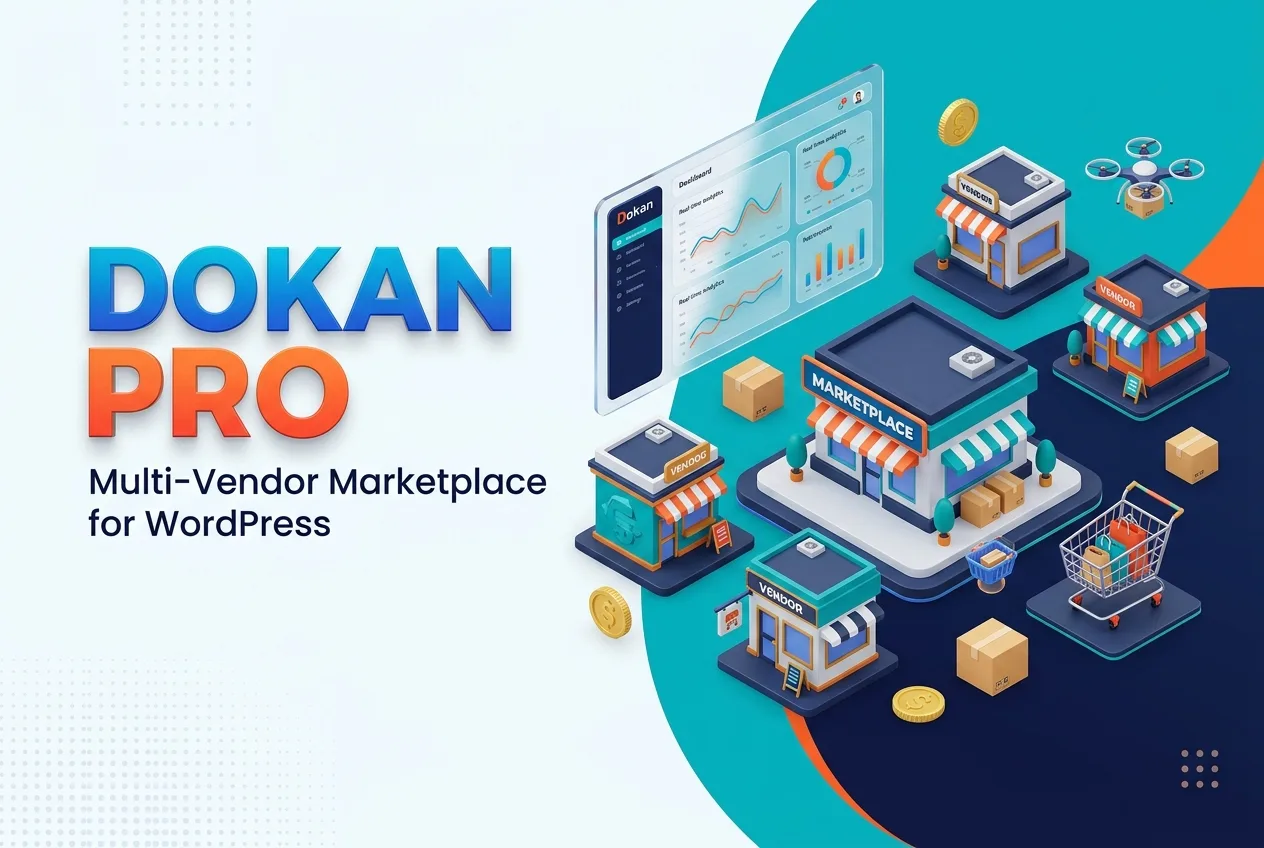
- WooCommerce multi-vendor marketplace functionality
- Front-end vendor dashboard
- Independent vendor store pages
- Vendor product management
- Vendor order management
- and...
Dokan Pro is a powerful multi-vendor marketplace plugin for WordPress and WooCommerce that allows you to transform a standard online store into a complete marketplace with multiple independent sellers.
With Dokan Pro, vendors can create their own stores, add and manage products, process orders, review sales reports, and monitor their earnings from a dedicated front-end dashboard. At the same time, the marketplace administrator can manage vendors, approve products, configure commissions, control withdrawals, and supervise the entire platform from the WordPress dashboard.
Whether you want to create a marketplace similar to Amazon, eBay, Etsy, or other multi-seller platforms, Dokan Pro provides the tools required to launch and manage a professional online marketplace without building a complex system from scratch.
The plugin integrates with WooCommerce and offers a flexible foundation for physical product marketplaces, digital product stores, service platforms, educational marketplaces, local shopping websites, and many other types of multi-vendor businesses.
What Is Dokan Pro?
Dokan Pro is an advanced extension for creating and managing a multi-vendor WooCommerce marketplace. It enables several independent sellers to sell products through one central website while allowing each vendor to manage their own store.
Instead of giving vendors access to the WordPress administration area, Dokan Pro provides them with a user-friendly front-end dashboard. Through this dashboard, vendors can manage products, orders, discounts, shipping settings, earnings, and other important store operations.
The marketplace owner maintains full control over the platform. You can approve or reject vendors and products, define commission rules, review sales activity, manage review sales activity, manage withdrawals, and configure the marketplace according to your business model.
Convert WooCommerce into a Multi-Vendor Marketplace
Dokan Pro allows you to convert a regular WooCommerce website into a complete multi-vendor marketplace. Multiple sellers can register on your website, create stores, publish products, and receive orders through the same platform.
This model allows you to build a large product catalog without managing every product yourself.
Dedicated Front-End Dashboard for Vendors
Each vendor receives access to an individual front-end dashboard. Vendors can manage their stores without needing access to the WordPress admin panel.
The vendor dashboard can be used to manage:
- Products
- Orders
- Store settings
- Sales reports
- Earnings
- Withdrawals
- for vendors discounts
- Shipping options
- Customer-related information
This makes the platform easier to use for vendors with different levels of technical experience.
Independent Store Pages for Sellers
Dokan Pro gives every vendor the ability to create an independent store page within your marketplace. Vendors can display their store name, logo, banner, contact details, product catalog, ratings, and other business information.
Each store can function as a dedicated seller profile while remaining connected to the main marketplace.
Product Management Without WordPress Admin Access
Vendors can add, edit, publish, and manage their products directly from the front-end dashboard. They do not need access to the main WordPress dashboard to manage their inventory.
Depending on your configuration, vendors can add product information such as:
- Product title
- Description
- Images
- Prices
- Categories
- Tags
- Inventory
- Variations
- Downloadable files
- Shipping information
- Tax settings
The marketplace administrator can review and approve products before they become publicly available.
Vendor Order Management
Dokan Pro allows vendors to view and manage orders related to their products. Vendors can monitor order status, process purchases, update shipping information, and review order details from their own dashboard.
This creates a more organized workflow and reduces the need for the marketplace owner to manually process every vendor order.
Flexible Commission System
The plugin includes an advanced commission management system for marketplace owners. You can define how much of each sale belongs to the vendor and how much is retained by the platform.
Commission rules can be configured according to your business model, including:
- Percentage-based commissions
- Fixed commissions
- Vendor-specific commissions
- Global commission settings
- Product-related commission rules, depending on configuration
This flexibility allows you to create different partnership plans for different types of vendors.
Custom Commission for Individual Vendors
Not every seller needs to work under the same commission structure. Dokan Pro allows you to assign a specific commission rate or amount to individual vendors.
This can be useful when working with:
- High-volume sellers
- Premium vendors
- Strategic business partners
- New vendors
- Special promotional campaigns
- Different product categories
Vendor Withdrawal Requests
Vendors can submit withdrawal requests for their available earnings through the marketplace dashboard. The administrator can review and manage these requests according to the platform’s payment and payout policies.
This helps create a more transparent relationship between the marketplace owner and participating vendors.
Sales and Revenue Reports
Dokan Pro provides reporting tools that help vendors and administrators monitor marketplace performance. Vendors can review their sales activity and earnings, while administrators can evaluate the performance of the entire platform.
Reports may help you analyze:
- Total sales
- Vendor revenue
- Marketplace commissions
- Order activity
- Product performance
- Vendor performance
- Earnings over time
These insights can support better decisions about marketing, vendor recruitment, product categories, and marketplace growth.
Vendor Registration and Approval System
You can allow sellers to register on your marketplace and configure an approval process before they gain access to vendor features.
The administrator can review vendor applications and decide whether to approve or reject sellers based on the marketplace’s requirements.
This allows you to maintain greater control over the quality and reliability of the vendors operating on your website.
Product Approval and Moderation
Dokan Pro gives the marketplace administrator the ability to review vendor-submitted products before publishing them. You can approve, reject, edit, or manage products according to your platform’s content, quality, and business policies.
Product moderation is particularly useful for marketplaces that want to maintain consistent standards across different vendors.
Vendor Ratings and Reviews
Customers can rate vendors and leave reviews based on their shopping experience. Vendor ratings can help customers compare sellers and make more confident purchasing decisions.
A vendor review system can also encourage sellers to provide better customer service, faster delivery, and higher-quality products.
Support for Downloadable Products
Dokan Pro supports digital and downloadable products, making it suitable for marketplaces that sell files, online resources, templates, software, eBooks, documents, or other digital content.
You can use the plugin to create a marketplace for digital products without limiting your platform to physical goods.
Support for Variable Products
Vendors can create variable products with different options, such as size, color, storage capacity, format, or other product attributes.
This is useful for marketplaces in industries such as:
- Fashion
- Electronics
- Furniture
- Accessories
- Digital products
- Customized products
- Educational resources
Booking and Reservation Support
Dokan Pro can be used with booking and reservation-related marketplace models, depending on the compatible configuration and extensions used on your website.
This makes it possible to create platforms for services, appointments, rentals, reservations, courses, events, and other bookable offerings.
Vendor-Specific Shipping Management
Vendors can manage shipping options related to their own products. This is particularly important for marketplaces where sellers operate from different locations or use different delivery methods.
Vendor-based shipping management can help create a more practical order fulfillment process for both sellers and customers.
Tax and Store Policy Support
Dokan Pro can work with WooCommerce settings and marketplace configurations related to taxes, store policies, and vendor responsibilities.
You can establish rules for vendors and define how important marketplace processes should be handled. The exact tax and legal configuration should be adapted to your business location and applicable regulations.
WooCommerce Integration
Dokan Pro is built to work with WooCommerce, allowing you to use the familiar WooCommerce infrastructure for products, payments, orders, customers, and store management.
This integration makes Dokan Pro a suitable choice for website owners who already use WooCommerce or want to build their marketplace on the WordPress ecosystem.
Elementor Compatibility
Dokan Pro can be used with Elementor and compatible WordPress themes and page-building tools. This allows you to design marketplace pages, store layouts, vendor sections, and other parts of your website with greater visual flexibility.
Responsive Design
The vendor dashboard and marketplace interface are designed to work across different screen sizes, including desktop computers, tablets, and mobile devices.
A responsive layout helps vendors manage their stores and allows customers to browse products conveniently from smartphones and other mobile devices.
Extendable Module System
Dokan Pro supports a wide range of professional modules and extensions. This modular structure allows you to add advanced marketplace features as your business grows.
You can begin with the core marketplace functionality and expand the website later according to your business model, vendor requirements, and customer expectations.
Why Choose Dokan Pro?
Launch a Marketplace with WordPress and WooCommerce
Building a multi-vendor marketplace from the ground up can require significant development time and budget. Dokan Pro provides a ready-made foundation that allows you to launch a marketplace using WordPress and WooCommerce.
You can focus on business strategy, vendor acquisition, product categories, and customer growth instead of developing every marketplace feature from the beginning.
Give Vendors More Independence
The dedicated vendor dashboard allows sellers to manage their own stores, products, and orders. This reduces administrative workload and allows the marketplace to support more vendors as it grows.
Maintain Full Administrative Control
Although vendors can manage their own stores, the administrator still controls the core marketplace operations. You can manage registration, product approval, commissions, withdrawals, vendor accounts, and marketplace rules.
Create Different Marketplace Business Models
Dokan Pro can support different types of marketplaces, including product-based, digital, local, service-based, and educational platforms.
This flexibility allows you to build a marketplace that matches your specific industry and revenue model.
Build a Scalable Online Business
A multi-vendor marketplace can grow by adding new sellers and expanding product categories. Dokan Pro provides tools for managing this structure and helps you create a more scalable business model.
Who Is Dokan Pro Suitable For?
Dokan Pro is suitable for a wide range of WordPress marketplace websites, including:
- Amazon-style multi-vendor marketplaces
- General product marketplaces
- Fashion and clothing marketplaces
- Electronics marketplaces
- Digital product and download marketplaces
- Online book marketplaces
- Handmade product websites
- Local vendor marketplaces
- National and international marketplaces
- Educational marketplaces
- Service marketplaces
- Rental and booking platforms
- B2B and wholesale marketplaces
- Multi-seller WooCommerce stores
If you want to allow multiple sellers to operate on one WooCommerce website, Dokan Pro can provide the core tools needed to manage vendors, products, orders, commissions, and payouts.
How Dokan Pro Works
The basic marketplace workflow is simple:
- The website administrator installs and configures Dokan Pro.
- Vendors register through the marketplace website.
- The administrator reviews and approves vendor accounts.
- Approved vendors create their own store profiles.
- Vendors add products through the front-end dashboard.
- The administrator reviews products if product approval is enabled.
- Customers browse products and place orders.
- Vendors manage their relevant orders.
- The marketplace calculates commissions according to the configured rules.
- Vendors request withdrawals based on their available earnings.
This structure allows the marketplace owner to operate as the platform manager while vendors handle their own products and orders.
Dokan Pro for Digital and Physical Marketplaces
One of the key advantages of Dokan Pro is its flexibility. You can use it to create a marketplace for physical products, downloadable products, or a combination of both.
Physical Product Marketplace
For physical products, vendors can manage product details, inventory, variations, shipping settings, and order fulfillment.
Digital Product Marketplace
For downloadable products, vendors can offer files such as eBooks, graphics, templates, software, courses, documents, and other digital assets.
Service and Booking Marketplace
With the appropriate configuration, Dokan Pro can also support service providers, appointments, rentals, reservations, and other booking-focused marketplace models.
Technical Features
- WooCommerce multi-vendor marketplace functionality
- Front-end vendor dashboard
- Independent vendor store pages
- Vendor product management
- Vendor order management
- Fixed and percentage-based commissions
- Individual vendor commission settings
- Vendor withdrawal requests
- Sales and revenue reports
- Vendor registration and approval
- Product moderation and approval
- Vendor ratings and reviews
- Downloadable product support
- Variable product support
- Booking and reservation compatibility
- Vendor-specific shipping management
- Tax and marketplace policy settings
- WooCommerce compatibility
- Elementor compatibility
- Responsive design
- Extendable professional modules
- Support for physical and digital marketplaces
Get Dokan Pro for WordPress
Create a professional multi-vendor marketplace with Dokan Pro and WooCommerce. Give vendors the tools they need to manage their products and stores while maintaining complete control over commissions, approvals, orders, payouts, and marketplace operations.
Whether you want to build a general online marketplace, a digital product platform, a local vendor directory, or a service-based marketplace, Dokan Pro provides a flexible and scalable solution for WordPress.
Purchase Dokan Pro from WeBox Academy and start building your own multi-vendor marketplace with powerful vendor management and WooCommerce integration.
Turn your WooCommerce website into a complete online marketplace with Dokan Pro.




There are no reviews yet.