 weboxacademy | Premium WordPress Assets, SEO Training & Educational Videos
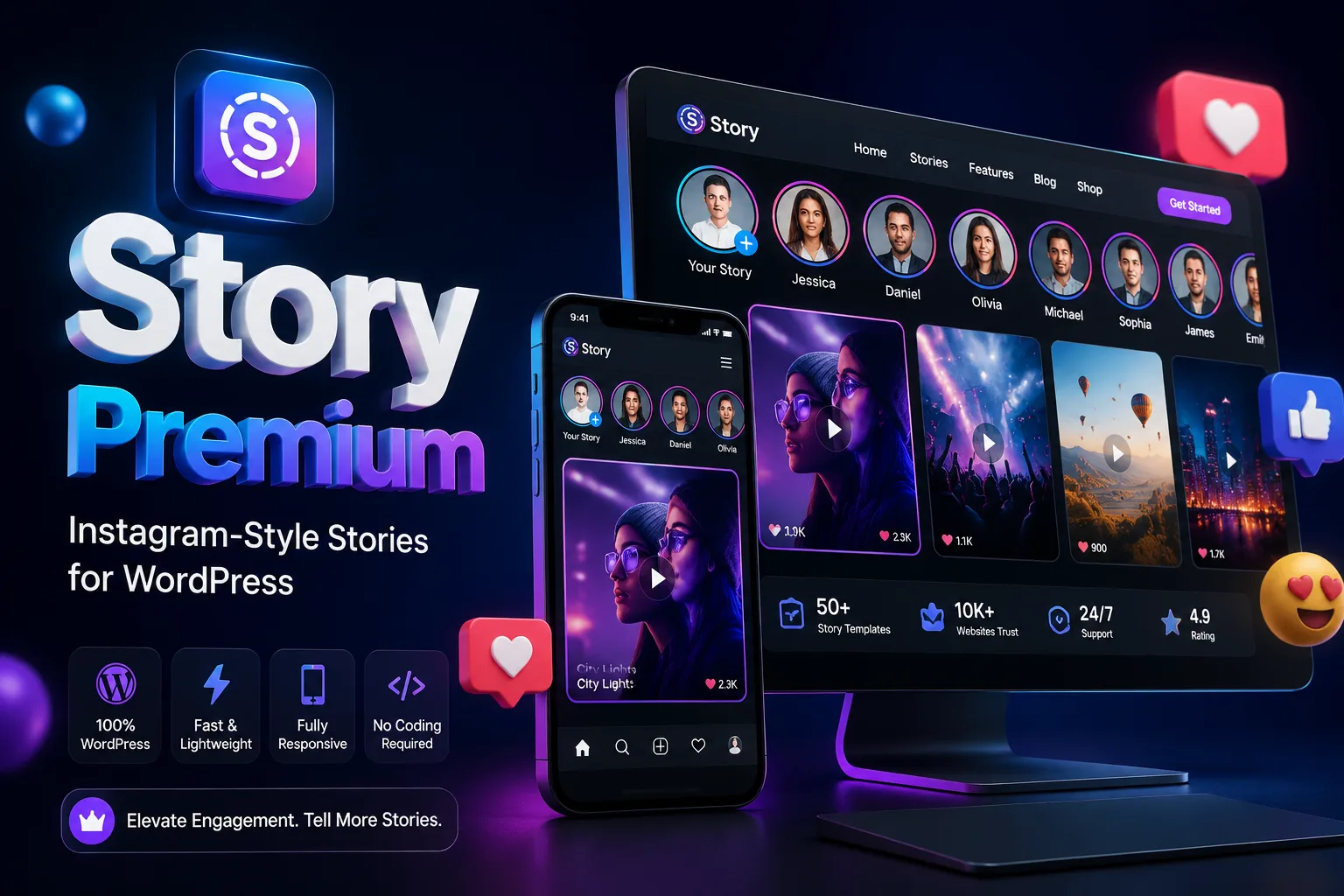
Why Add Stories to a WordPress Website?
Visitors do not always read a page from top to bottom. Many of them scan the screen, look for something visually interesting, and decide within a few seconds whether to continue exploring the website.
Stories are useful in this situation because they present content in a quick, visual format. Instead of asking users to search through product categories or blog archives, you can place selected content in a prominent story section and link each item to the relevant page.
With Story Premium, you can use stories to:
- Highlight new products
- Promote limited-time discounts
- Introduce important articles
- Share short video content
- Publish quick tips or tutorials
- Display customer feedback
- Announce new services or website updates
- Direct visitors to specific product or content pages
The result is a more dynamic content area that can work alongside your existing pages, menus, banners, and Elementor layouts.
Main Features of Story Premium
Create Image and Video Stories
Story Premium supports both image-based and video-based stories. This gives you more flexibility when preparing content for different purposes.
Use images for product announcements, promotional graphics, blog highlights, or customer testimonials. For tutorials, demonstrations, behind-the-scenes content, or short announcements, you can use video stories instead.
Because the stories are managed from WordPress, you can update them whenever your content or campaign changes.
Instagram-Style Story Display
The plugin uses a story layout inspired by popular social media platforms. Visitors can open a story, move between items, and view the content in a format that does not feel unfamiliar.
This type of presentation is a good match for websites that want to make selected content more noticeable without redesigning the entire page. You can add a story section to the homepage, shop page, blog, landing page, or any other suitable location.
Create Stories from WordPress Posts
You can create stories based on your WordPress posts and use them to bring attention to selected articles.
For example, a news website could use stories for breaking updates, while an educational website could display short lessons or recently published tutorials. Blog owners can also use the feature to showcase important posts that might otherwise remain buried in the archive.
Each story can guide visitors to the related post, helping them move from the visual preview to the full content.
Display WooCommerce Products in Stories
For online stores, Story Premium provides a convenient way to showcase products in a more visual format.
You can use stories to feature:
- New products
- Best-selling items
- Sale products
- Seasonal offers
- Product collections
- Limited-time promotions
- Products with a special discount
Visitors can be directed from the story to the relevant product page, where they can view the details and complete their purchase. This makes stories a useful addition to the normal WooCommerce product grid.
Video Support
Video stories can make product introductions, tutorials, and short promotional messages more engaging. You can upload and display video content in the story interface and use it to provide more context than a static image can offer.
For the best performance, use appropriately sized and compressed videos. Very large media files can slow down any website, especially on mobile connections.
Automatic Story Expiration
Some content is only relevant for a limited period. A discount may end after a few days, and an announcement may no longer be useful once an event has passed.
Story Premium allows you to set an expiration period for stories so they can be removed automatically after a specified time. This helps keep the story section current and reduces the need to remove temporary content manually.
It is particularly useful for:
- Flash sales
- Daily offers
- Event announcements
- Time-sensitive news
- Temporary campaigns
- Limited registration periods
Image Compression
Images used in stories can affect page loading speed, especially when several stories are displayed together. Story Premium includes image compression features to help reduce unnecessary file size.
Compression settings should still be used alongside good media practices. Uploading appropriately sized images and avoiding unnecessarily large video files will help maintain a faster experience for visitors.
Responsive Design for Mobile and Tablet
Stories are commonly viewed on mobile devices, so the display needs to work properly across different screen sizes.
Story Premium is designed with responsive layouts for mobile phones and tablets. The story interface adapts to the available screen space while maintaining a usable viewing experience.
The final appearance may also depend on your WordPress theme, page builder, custom CSS, and the way the story section is placed on the page.
Elementor Widget
The plugin includes a dedicated Elementor widget, allowing you to place stories within your page layouts without writing code.
You can add the story section to areas such as:
- Homepage sections
- Product landing pages
- Blog layouts
- Sales pages
- Service pages
- Custom Elementor templates
- WooCommerce-related pages
This is useful when you want more control over the position and appearance of the stories than a standard shortcode placement provides.
Gutenberg Compatibility
Story Premium is compatible with the Gutenberg editor, so you can use the plugin within websites that rely on the default WordPress editing experience.
This makes it suitable for users who build pages and posts with Gutenberg rather than Elementor.
Shortcode Support
You can display stories on different pages using a shortcode. This gives you a simple way to add the same story section to selected posts, pages, sidebars, or custom content areas that support shortcodes.
Shortcodes are also useful when you want to place stories in a specific part of a website without adding a page builder widget.
Compatibility with BuddyPress and bbPress
Story Premium supports websites that use BuddyPress or bbPress. This makes it suitable for community websites, discussion forums, and WordPress-based social platforms.
Depending community updates, member content, forum announcements, or featured discussions.
User community updates, member content, forum announcements, or featured discussions.
User control who has access to stories according to your website’s requirements. This can be useful for membership websites, private communities, internal portals, or websites where some content should only be visible to specific users.
The exact access options depend on the plugin settings and your WordPress configuration.
Multiple Story Styles
Story Premium includes different display styles so you can select a presentation that fits your website.
You can choose a suitable style based on your content, theme, available screen space, and the overall design of the page. A product-focused store may prefer a compact layout, while a blog or community website may use a more prominent visual presentation.
Story Premium for WooCommerce Stores
Adding stories to a WooCommerce store gives you another way to present products and promotions. Instead of relying only on sliders, banners, or product grids, you can place selected items in a story section that is quick to browse.
For example, a clothing store could create stories for a new collection, while a software store could highlight new releases or special offers. A digital products website might use the feature to introduce recently published files or show short demonstrations.
The most effective stories are usually focused and linked to a clear action. A product image with a short message and a direct link to the product page is often more useful than a story containing too much text.
How Story Premium Can Be Used
Story Premium can support different types of content and campaigns, including:
Product Promotion
Show a product image, short video, or promotional message and link visitors directly to its WooCommerce page.
Limited-Time Offers
Use automatic expiration for discounts and temporary campaigns so outdated offers do not remain visible.
Blog and News Highlights
Display selected posts in a more visible position and guide users to the complete article.
Short Tutorials
Publish quick instructional videos or visual tips without creating a separate long-form page for every update.
Customer Reviews
Use image or video stories to present testimonials and real customer experiences.
Community Updates
On BuddyPress or bbPress websites, stories can be used for member announcements, community news, and selected discussions.
Who Can Use Story Premium?
Story Premium can be a good fit for:
- WooCommerce stores
- News and magazine websites
- Educational websites
- Personal blogs
- Corporate websites
- Service businesses
- Download websites
- Online communities
- BuddyPress websites
- bbPress forums
- WordPress-based social platforms
- Websites that publish frequent visual content
It is most useful for websites that want to highlight selected content in a fast, visual format while keeping everything inside WordPress.
Benefits of Using Story Premium
Story Premium can help you present important content in a more noticeable way and make the website feel more interactive.
Its practical benefits include:
- A familiar story-based viewing experience
- Better visibility for selected products and posts
- Easy publishing of image and video content
- Direct links to products or articles
- Responsive display on mobile devices
- Automatic removal of temporary stories
- Flexible placement with Elementor and shortcodes
- No dependency on Instagram
- Compatibility with WooCommerce, Gutenberg, BuddyPress, and bbPress
- A simple way to add visual content without custom development
The plugin does not replace a complete content or marketing strategy. Its role is to give you an additional presentation format for content that deserves more attention.
Buy Story Premium for WordPress
If you want to add an Instagram-style story feature to your WordPress website, Story Premium provides the tools you need to create, manage, and display stories directly from your own dashboard.
With this plugin, you can publish image and video stories, feature WooCommerce products, highlight WordPress posts, set expiration times, and place stories on your pages using Elementor or shortcodes.
Purchase Story Premium from WebBoxAcademy and add a more visual content experience to your WordPress website. The product includes the installation files, Persian localization, and updates according to the terms listed by WebBox Academy.
Before installation, make sure that your WordPress, WooCommerce, Elementor, BuddyPress, or bbPress versions meet the product requirements.




There are no reviews yet.